Volume too low?
The C81's default output volume is set to 90%. If the sound is still too low, adjust both your PS5 and headphone volume.
Try These 2 Steps
1
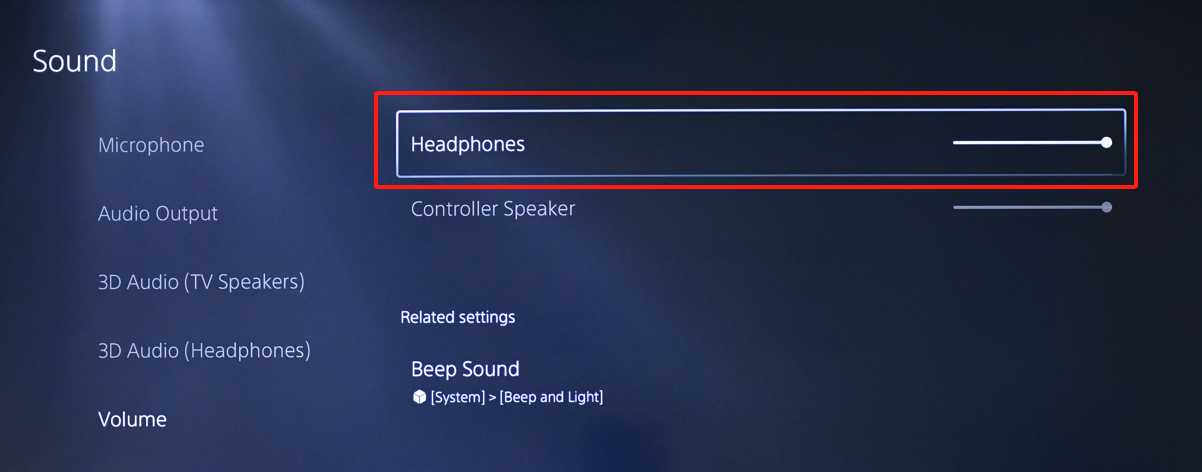
Increase the volume on your PS5
Open the PS5 volume settings and increase the headphone volume to a comfortable level.
On your PS5
Settings → Sound → Volume → Headphones
PS5 Settings Reference
2
Increase the volume on your headphones
Still too quiet?
Make sure the PS5 headphone volume and the headphone's own volume are both turned up. These are separate volume controls.
Still need help?
Tell us your headphone model and how you're using the C81 with your PS5.
ASK A QUESTION
Comments
0 comments
Related articles
Please sign in to leave a comment.